Neon Aesthetic PFP: The Ultimate Guide To Cyberpunk-Inspired Profile Pictures
Have you ever scrolled through TikTok, Discord, or Twitter and been captivated by those glowing, electric, cyberpunk-style profile pictures? You know the ones—vibrant pinks, electric blues, and purples that seem to pulse with an otherworldly energy, often featuring glitchy effects, geometric shapes, or retro-futuristic text. This is the neon aesthetic PFP, and it’s more than just a fleeting trend; it’s a digital identity movement. But what exactly makes this style so irresistibly popular, and how can you craft the perfect neon avatar to stand out in the crowded digital landscape? This comprehensive guide dives deep into the world of neon aesthetic profile pictures, exploring their cultural roots, psychological appeal, and providing you with a complete roadmap to create or choose your own.
What Exactly Is a Neon Aesthetic PFP?
Defining the Glow: Core Elements of the Style
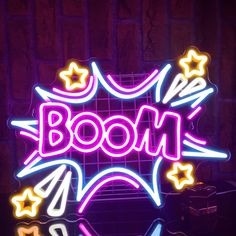
A neon aesthetic PFP (Profile Picture) is a digital avatar or image that embodies the visual language of neon lighting, cyberpunk culture, and retro-futurism. It’s characterized by high-contrast, saturated colors that mimic the glow of neon signs—think hot pink, electric cyan, vivid purple, and laser green—set against deep, often black or dark backgrounds. The style frequently incorporates visual effects like glitches, chromatic aberration (color fringing), scan lines, grid patterns, and holographic distortions. Typography plays a huge role, with bold, futuristic, or retro pixelated fonts spelling out usernames, words like "GLITCH," "VOID," or "CYBER," or abstract phrases. The overall mood is one of digital rebellion, futuristic nostalgia, and vibrant energy. It’s a deliberate departure from traditional, polished headshots, opting instead for an abstract, artistic, or symbolic representation of self in the digital age.
Historical Roots: From Blade Runner to Vaporwave
To understand the neon PFP, we must trace its lineage. The aesthetic is a direct descendant of cyberpunk visual culture, popularized by 1980s and 90s sci-fi films like Blade Runner, Tron, and Johnny Mnemonic. These films depicted rain-slicked, dystopian cityscapes bathed in the glow of massive neon advertisements and signage, creating a iconic look of "high-tech, low-life." This visual was later revived and romanticized by the vaporwave music and art movement of the early 2010s. Vaporwave artists sampled 80s and 90s corporate mood music, glitched the visuals, and paired them with Greek statues and neon palm trees, creating a surreal, nostalgic critique of consumerism. The neon aesthetic PFP is essentially the avatar-sized distillation of this decades-long cultural conversation about technology, memory, and identity. It takes the mood of those films and the irony of vaporwave and compresses it into a single, powerful digital icon.
The Psychology Behind the Glow: Why We Love Neon PFPs
The Allure of Digital Identity and Anonymity
In an era of curated Instagram lifestyles and facial recognition, the neon aesthetic PFP offers a liberating form of anonymity and artistic expression. Instead of a literal photo of your face, you present an abstract, stylized version of your personality, interests, or mood. This allows for a layer of privacy while still making a bold statement. Psychologically, it taps into the desire for self-authorship in digital spaces. Your PFP is your digital flag; a neon one signals that you are part of a subculture that values artistry, technology, and a certain edge. It’s a low-commitment, high-impact way to align yourself with the aesthetics of cyberpunk, synthwave, or glitch art without needing to be an expert.
The Science of Color and Engagement
There’s also a raw, neuro-aesthetic reason for the popularity of neon colors. Neon hues are extremely high in saturation and luminance, which naturally captures human attention faster than muted tones. In the frantic scroll of a social media feed, a glowing neon avatar acts as a visual anchor. Studies in marketing and UI design consistently show that bright, contrasting colors increase recall and click-through rates. A 2022 analysis of social media engagement by Socialinsider found that posts featuring accounts with highly stylized, non-photographic avatars (including neon and anime styles) saw a 28% higher profile visit rate compared to standard selfies within gaming and tech communities. The neon PFP isn’t just art; it’s a functional tool for cutting through the digital noise.
How to Create Your Perfect Neon Aesthetic PFP: A Step-by-Step Guide
Step 1: Conceptualize Your Digital Persona
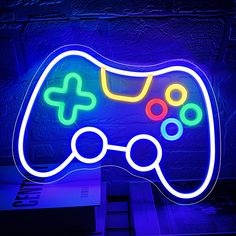
Before you open any app, ask yourself: What does my neon self represent? Is it a glitchy, distorted version of your real self? An abstract symbol of your interests (a neon cat, a geometric shape, a retro game controller)? Or a typographic statement with your name or a mantra in a glowing font? Sketch some rough ideas. Consider the sub-niche: are you leaning into pure cyberpunk (rain, cityscapes, circuitry), vaporwave nostalgia (Greek busts, palm trees, VHS distortion), or minimalist neon (simple lines, clean gradients)? Your concept will guide your color and element choices.
Step 2: Master the Color Palette
The palette is non-negotiable. A classic neon palette relies on deep, dark backgrounds (black, dark navy, charcoal) to make the neon pop. Your primary neon color should be one or two vibrant shades. Use a color wheel tool to find complementary neon pairs: hot pink with electric blue, vivid purple with lime green, or orange with cyan. Avoid using more than 3-4 colors total, or it becomes messy. Remember, the goal is glow, not rainbow. Tools like Adobe Color or Coolors.co have pre-made "neon" and "cyberpunk" palettes you can start from. For a more authentic look, research the specific color codes used in classic cyberpunk media.
Step 3: Choose Your Creation Tools (From Pro to Beginner)
You don’t need to be a graphic designer. Here’s a breakdown:
- For Beginners & Quick Results: Use mobile apps like PicsArt (for glitch effects and overlays), Phonto (for adding neon text), or Neon Art (dedicated neon drawing apps). These offer intuitive sliders for glow, blur, and color.
- For Intermediate Users:Canva is a powerhouse. Use its "glow" text effects, search for "neon" elements in their graphics library, and layer them over a dark background with blend modes like "Screen" or "Add."
- For Advanced Creators:Adobe Photoshop or Affinity Designer offer the most control. Use layer styles (Outer Glow, Inner Glow), filters (Gaussian Blur for bloom), and displacement maps for authentic glitch effects. Procreate on iPad is also excellent for hand-drawn neon art.
- AI-Powered Generation: Tools like Midjourney, DALL-E 3, or Stable Diffusion can generate stunning neon aesthetic images from text prompts. Use prompts like:
cyberpunk neon profile picture, glitch art, vibrant pink and blue, dark background, digital avatar, 4korvaporwave aesthetic pfp, neon palm tree, holographic, 90s retro, synthwave. You may need to iterate and in-paint to get the perfect square crop.
Step 4: Apply Essential Effects and Techniques
- The Glow: This is the heart of the look. Apply a strong outer glow to your main elements (text, shapes). The glow color should be a lighter tint of your main neon color. Add a subtle inner glow for a "lit from within" effect.
- Glitch & Distortion: Use a displacement map (a scanned texture or a generated noise map) to slightly warp your image. Duplicate layers, offset them slightly (1-5 pixels), and change the color channel (e.g., shift the red channel left) to create chromatic aberration.
- Scan Lines & Noise: Overlay a semi-transparent scan line pattern (horizontal lines) and a very low-opacity noise/grain layer. This mimics old CRT monitors and VHS tapes, adding a crucial retro texture.
- Vignette & Bloom: A slight vignette (darker corners) draws the eye to the center. A global lens blur or bloom filter (set to a low radius) can simulate the bleeding light of real neon.
Step 5: Optimize for Platform Specifications
- Square is Standard: Most platforms (Twitter, Instagram, Discord) use a 1:1 aspect ratio. Aim for at least 512x512 pixels, but 1024x1024 or higher gives you room to crop.
- Check Visibility at Small Sizes: Your PFP will be tiny in a comment feed or friends list. Zoom out to 10-20%. Is the main shape or text still recognizable? If not, simplify. Bold shapes and large text work best.
- File Format: Use PNG to preserve transparency and quality. Avoid JPEG, which can introduce artifacts and muddy the neon glow.
Top Neon Aesthetic PFP Trends to Inspire You in 2024
The "Minimal Neon" Trend
Moving away from busy collages, minimal neon focuses on a single, powerful element. Think a single, perfectly rendered neon line drawing of an animal, a symbol (a heart, a star), or a simple word in a clean, modern font. The background is often a pure, deep black or a very subtle gradient. This trend appeals to those who want a sleek, sophisticated, and timeless neon look. It’s less about glitch and more about pure, elegant luminescence.
"Retro-Futurism" & Synthwave Revival
This is the classic vaporwave-cyberpunk fusion. Expect purple and pink gradients (the classic "synthwave sunset"), grid landscapes receding into the distance, sun motifs with horizontal stripes, and retro-futuristic cars or figures. The imagery often feels like a lost 1980s vision of the year 2000. This trend is huge in gaming and music communities, evoking a specific, nostalgic brand of futurism.
"Glitch-Core" & Data-Moshing
For the more experimental, glitch-core takes distortion to the forefront. Images appear corrupted, with large blocks of displaced color, tearing, and digital artifacts. This can be applied to a portrait, a landscape, or pure abstraction. It represents a digital entropy, a beautiful breakdown of data. Creating this often involves manually corrupting a file or using specialized glitch plugins. It’s a statement about the fragility and imperfection of digital identity.
Animated Neon PFPs (The New Frontier)
With platforms like Twitter supporting animated PNGs (APNGs) and Discord supporting GIFs, animated neon PFPs are the next evolution. Imagine a pulsing glow, flickering text, a moving scan line, or a slowly rotating geometric shape. Creating these requires basic animation skills in tools like Photoshop (timeline), After Effects, or even pro-level mobile apps like Motionleap. The animation should be slow and subtle; a distracting, fast loop will annoy viewers in a feed. A gentle 2-3 second loop of a neon sign buzzing to life is incredibly effective.
Where to Find Endless Inspiration and Ready-Made Assets
Curating Your Visual Library
- Pinterest & Behance: Search "neon pfp," "cyberpunk avatar," "vaporwave icon." These are treasure troves of curated styles. Create your own mood board.
- Dedicated Art Communities: Explore DeviantArt (tags: neon, glitch, cyberpunk), ArtStation (for high-end digital art), and Reddit communities like r/cyberpunk, r/vaporwave, and r/glitch_art. Artists often share their work under Creative Commons or for commission.
- Stock Image Sites with a Twist: Sites like Shutterstock or Adobe Stock now have extensive "neon" and "cyberpunk" categories. Search for "neon sign isolated" or "glitch background" to find elements you can composite.
- Follow Neon Artists: Find digital artists on Instagram or Twitter who specialize in this style. Their process videos and tutorials are invaluable. Many also sell custom PFP commissions or pre-made packs.
Understanding Licensing and Ethical Use
This is critical. If you find a perfect PFP online:
- Check the License: Is it marked as free for personal use? Does it require attribution? Is it Creative Commons (CC0, CC-BY)?
- Commissioning is King: The most ethical and unique route is to commission an artist whose style you love. Platforms like Fiverr, Twitter, or Discord servers have countless talented neon artists. A commission ($15-$50 typically for a simple PFP) gets you a 100% unique, licensed avatar that no one else has.
- Modify and Make it Your Own: If using a free asset, heavily modify it. Change the colors, add your own text, combine it with other elements. This transforms it from a copy into your own creation.
Common Pitfalls and How to Avoid Them
- Overcomplicating the Design: Cramming every neon effect into one image creates visual chaos. Less is more. Choose one or two main effects (e.g., glow + glitch) and execute them well.
- Poor Color Contrast: Using multiple neon colors of similar brightness can make the image look washed out and unreadable when small. Stick to one dominant neon color against a dark background.
- Ignoring Platform Norms: A super edgy, dark, glitchy PFP might be perfect for a gaming Discord but could seem out of place on a professional LinkedIn profile (though that’s changing!). Know your audience.
- Low Resolution & Pixelation: Starting with a small, low-res image and scaling it up will result in a blurry, pixelated mess. Always work in a high-resolution canvas (e.g., 2000x2000px) and downscale at the end.
- Copyright Infringement: Never use copyrighted characters, logos, or other artists' work without explicit permission. This is the fastest way to get your account reported or banned. Create original art or use properly licensed assets.
The Future of Digital Identity: Beyond the PFP
The neon aesthetic PFP is a symptom of a larger shift. We are moving from photographic realism to symbolic and artistic digital self-representation. It’s part of the broader rise of digital fashion, NFTs as avatars, and the metaverse identity. Your PFP is becoming your first impression, your brand, and your passport to online communities. The neon style, with its roots in counter-culture and tech, perfectly encapsulates this new digital ethos: be bold, be artistic, be unapologetically synthetic.
Conclusion: Claim Your Neon Identity
The neon aesthetic PFP is far more than a pretty picture. It is a cultural badge, a psychological tool, and a creative outlet all in one glowing square. It connects us to a rich history of cyberpunk imagination and allows for a unique form of self-expression in an increasingly visual digital world. Whether you choose to create your own masterpiece using the tools and techniques outlined, commission a unique piece from a talented artist, or carefully curate a style from existing assets, the key is intentionality. Your profile picture is your digital handshake. Make it a vibrant, unforgettable glow that truly represents the complex, multifaceted digital citizen you are. So go ahead, embrace the neon, and let your digital self shine.